Software development
We build software too
We’re creative not just with the visuals but also in creative solutions. We develop apps, tools and websites to be the answer to our clients’ problems. We build them the way we run a production, starting with the room they will be used in.
Cathedral Church
Find a Group
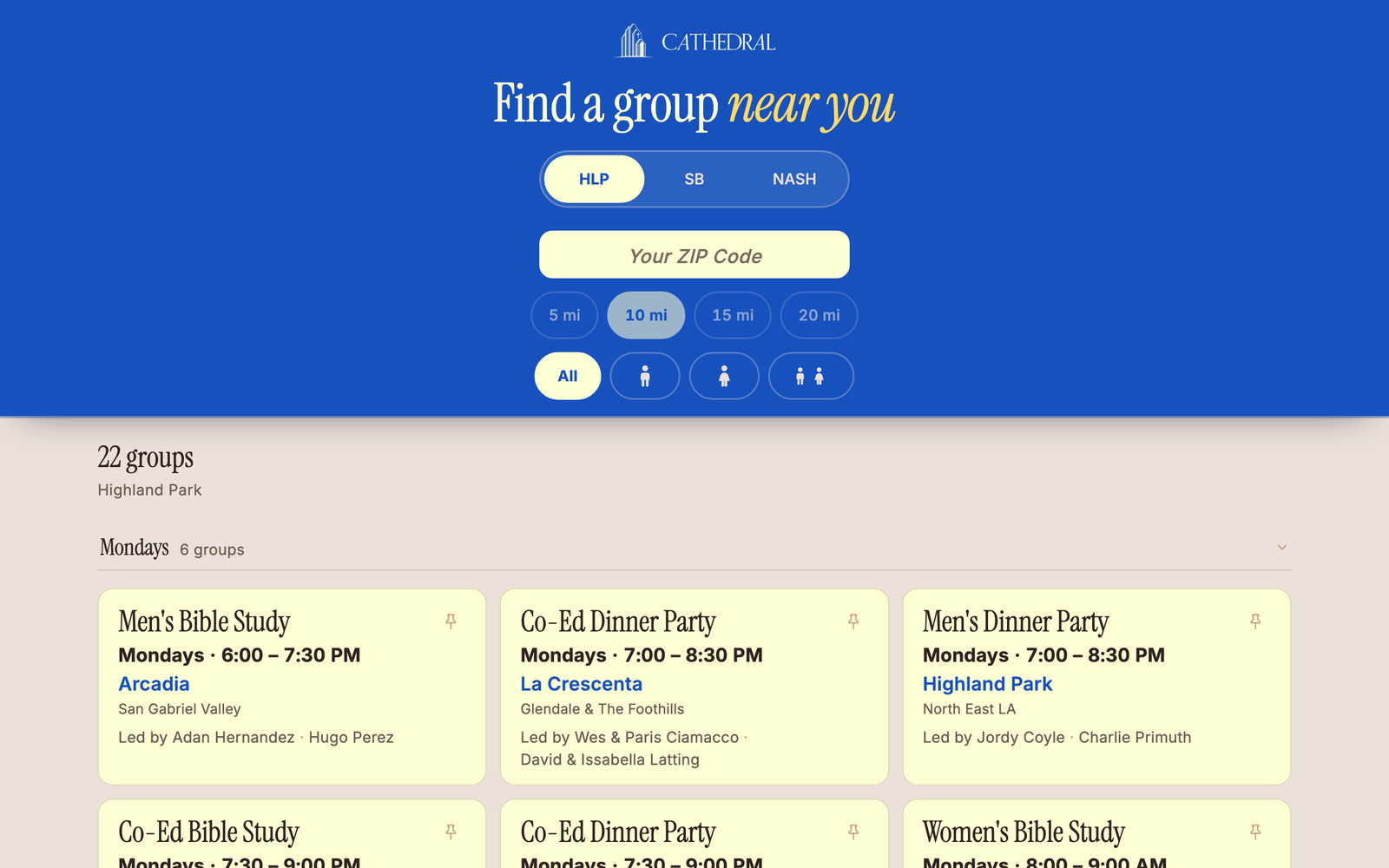
A ZIP code, and the closest groups come back first.
The problem
The church had groups meeting all over the metro area, and one question it could never answer quickly: which one is closest to you? At the desk after a gathering, a volunteer would read down a list of twenty-two groups and guess. By the time the right one was found, the moment had usually passed.
A printed list can’t answer that question. Neither can a page sorted by day of the week, which is how group directories are almost always built.
The approach
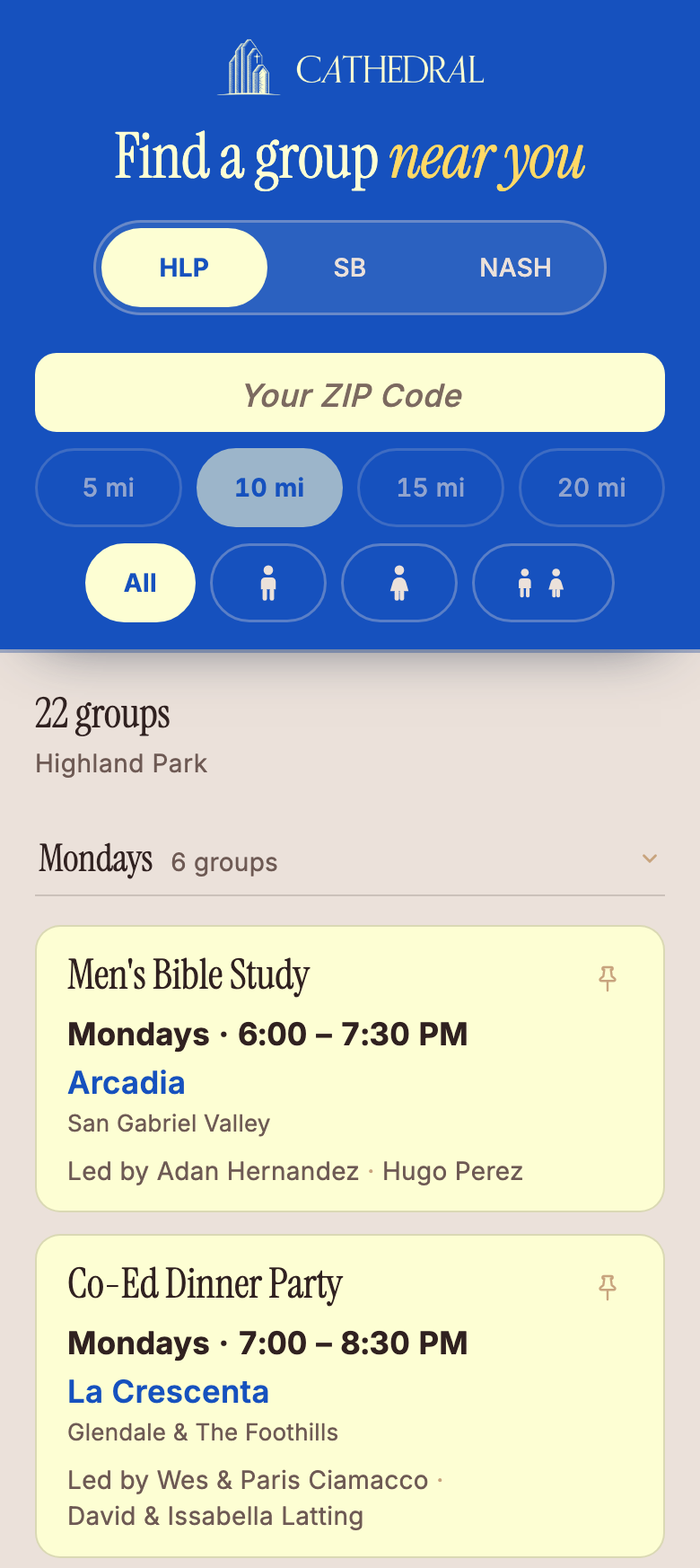
We designed for the hardest version of the scene first: someone standing in a lobby, phone in one hand, with about thirty seconds of another person’s attention. That set every rule: one screen, one thumb, targets big enough to hit while standing up, and no account or login to get past before the answer shows up.
Everything the page needs travels with it, including the ZIP lookup, the group data and even the fonts, so it never stalls on a weak signal inside a building. Then we made the same page work just as well for the person who goes home and looks it up themselves that night.
What it does now
You type a ZIP code on a numeric pad. Groups come back nearest first, and you can narrow by distance or by who the group is for. Tap one and the sign-up opens. The church’s own site stays the source of truth. This has one question to answer, and it answers it quickly.
- Built for
- Cathedral Church
- Runs on
- Any phone, no install
- Live across
- Three campuses
JGarcia Visuals
The Armory
Know what you own. Pack it without thinking.
The problem
Working crews buy gear faster than they record it. Serial numbers end up in a drawer somewhere and receipts get buried in an inbox, so the only real inventory is in one person’s head. Then it is six in the morning in a dark garage, cases are going into the car, and the packing list is memory. Something gets left behind, and you find out on location.
The approach
We built this one for ourselves first, which meant we could not design around the inconvenient parts. Nobody keeps a gear list up to date for its own sake, so the list had to earn its place on the morning of a shoot. That is what the whole thing is built around.
Gear goes in once, with the brand, model, serial, purchase date, receipt and photo. After that, every shoot starts by pulling a saved kit into a checklist you tick off at the shelves. The same records prove what you own to an insurer, and they publish your kit as a page you can share.
What it does now
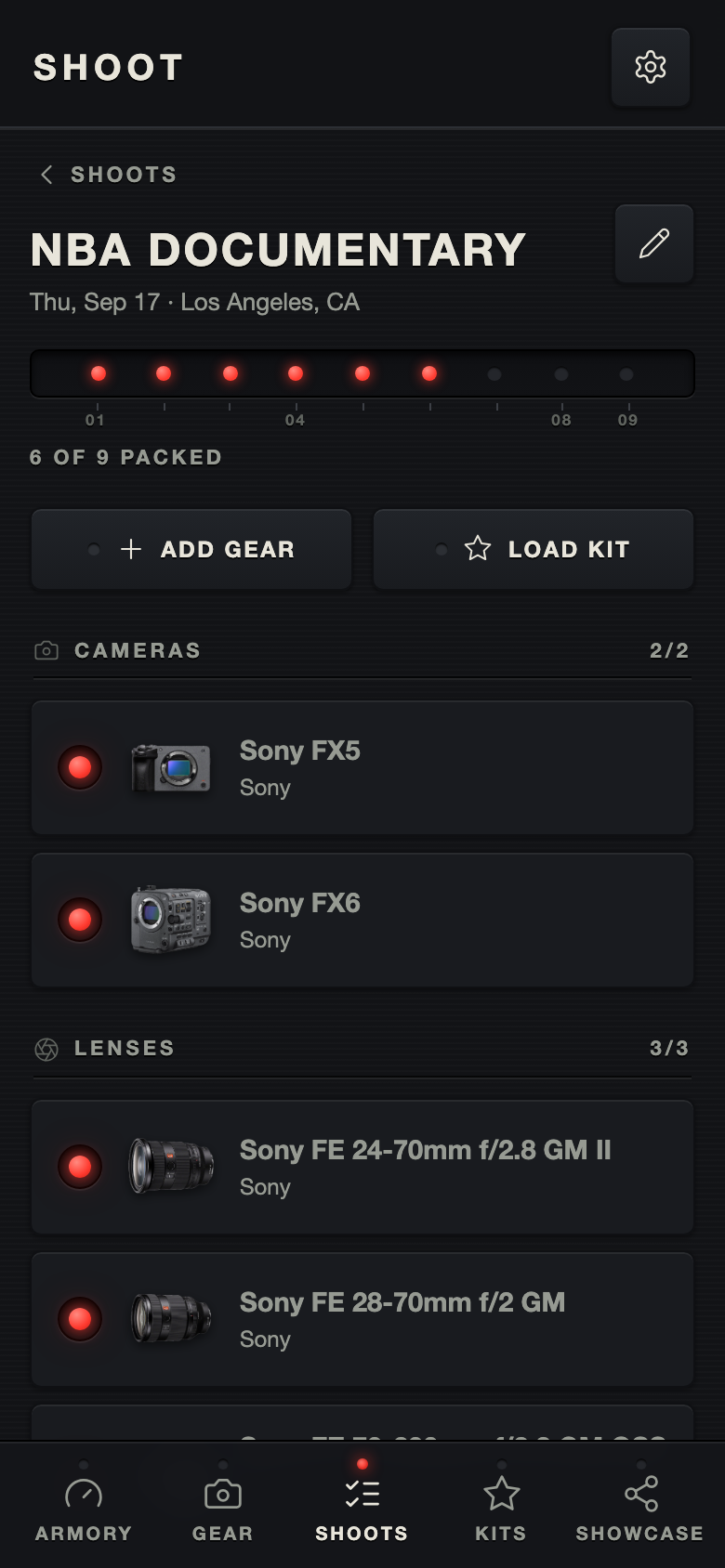
Open a shoot and it tells you where you are: six of nine packed, listed by category, with a photo beside each item so you are matching objects instead of reading text in a dim room. The interface is dark because that is where it gets used.
- Built for
- Photo and video crews
- Started as
- Our own shoot tool
- Status
- Live and open to anyone
JGarcia Visuals
The Client Portal
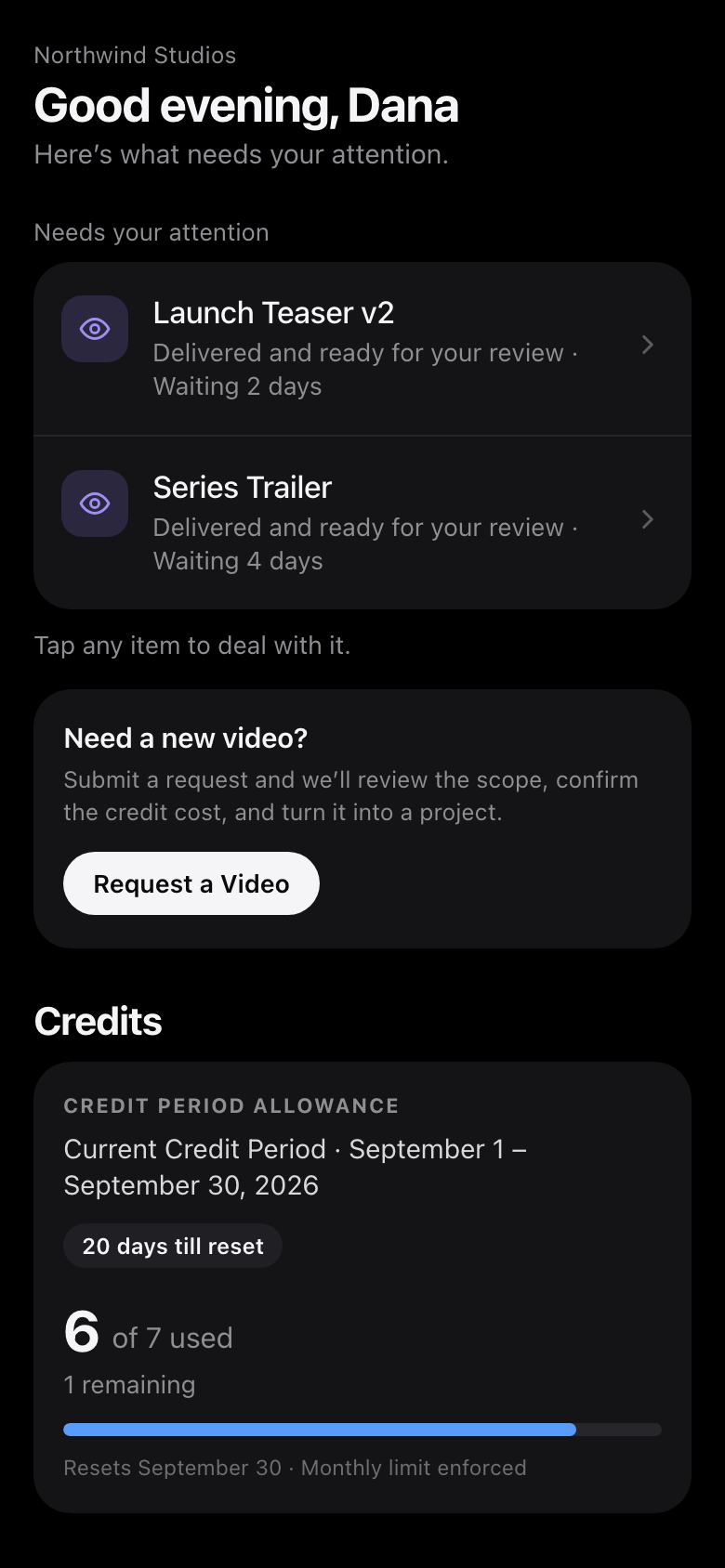
One place for the work, built for both sides of it.
The problem
Running the company meant running four tools at once. The conversation lived in Slack, the schedule in Trello, the reviews in Frame.io and the finished files in Google Drive. None of them knew about the others.
If a client wanted to know where their video had got to, they had to ask, and the answer had to be assembled by hand out of four places.
The approach
We wanted one thing instead of four, and it had to be worth using from both sides or it would not get used from either. So it was built as one system with two faces.
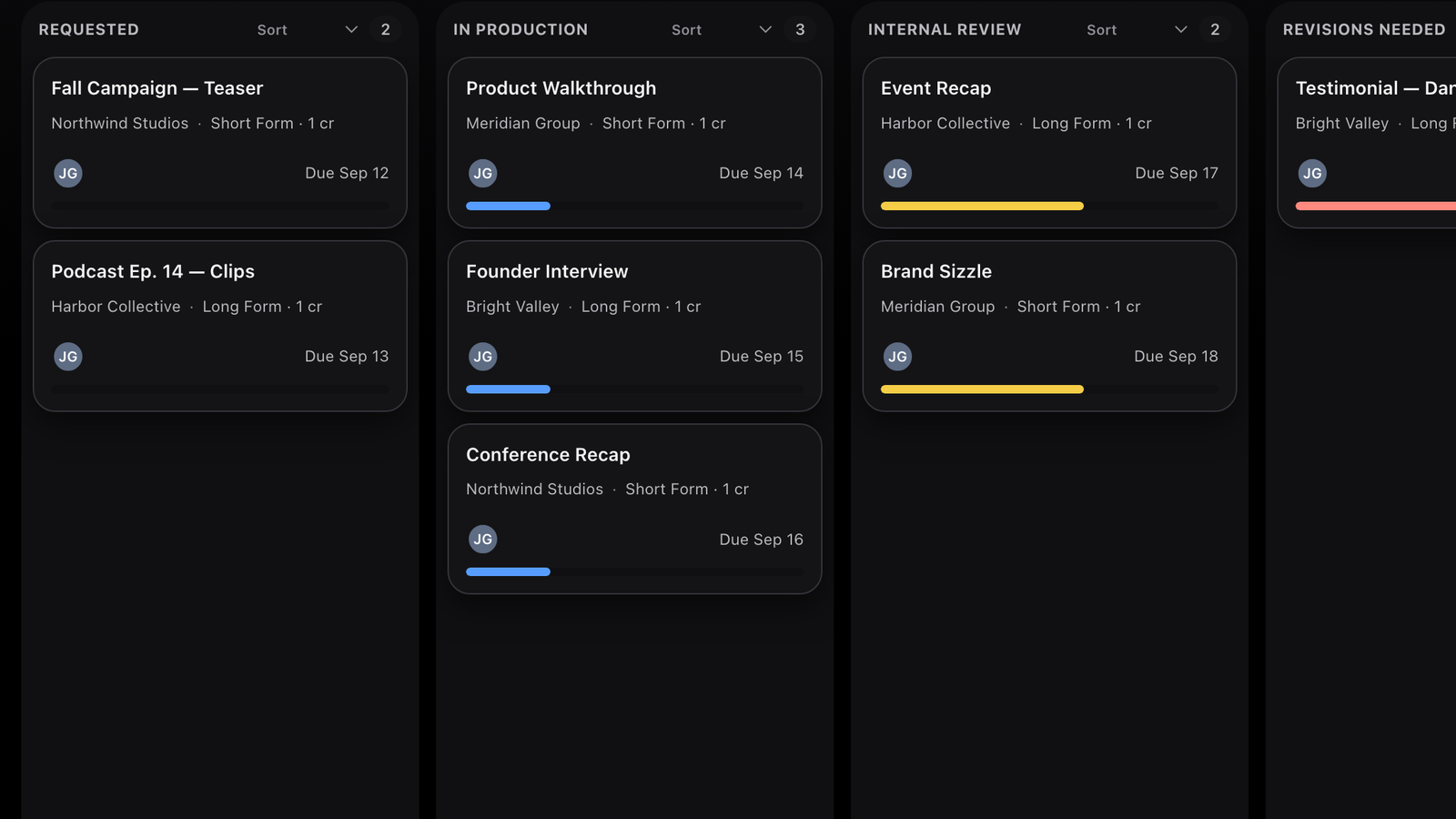
Ours is a production board: every project, the stage it is in, what is due and when. The client’s is a portal that answers their questions before they have to ask them.
What it does now
A client opens a link and lands on the cut. They watch it and either approve it or ask for a change, without a download or a thread to follow. The same screen shows what is waiting on them, what their credits have gone to and where billing stands.
It has run the business every day since we switched to it.
- Built for
- Our clients and us
- Replaces
- Four tools
- Status
- In daily use
Something your team keeps doing by hand?
If there’s a piece of your process that lives in a spreadsheet, a group chat or somebody’s memory, tell us about it. It may be a small tool rather than a big one.